
Send handyman invoices customers pay by card or bank transfer
Fixed the door, hung the drywall, swapped the faucet? Send the invoice from your phone and your customer pays by card or bank transfer on a secure page, no account needed. For bigger repairs, send a quote with a deposit to cover materials. Payouts reach your bank automatically, and the whole thing runs off an email or a link you can text.
Redbud Way charges 0% and takes no cut of your jobs. Stripe bills you directly for its standard card processing and invoicing fees on what you collect. See every fee.
A morning of repairs, invoiced and paid
Fixwell Handyman bills David Kim $415 for a morning of repairs.
You send it
Add your customer’s email and the line items, then send. This is the preview of what goes out.
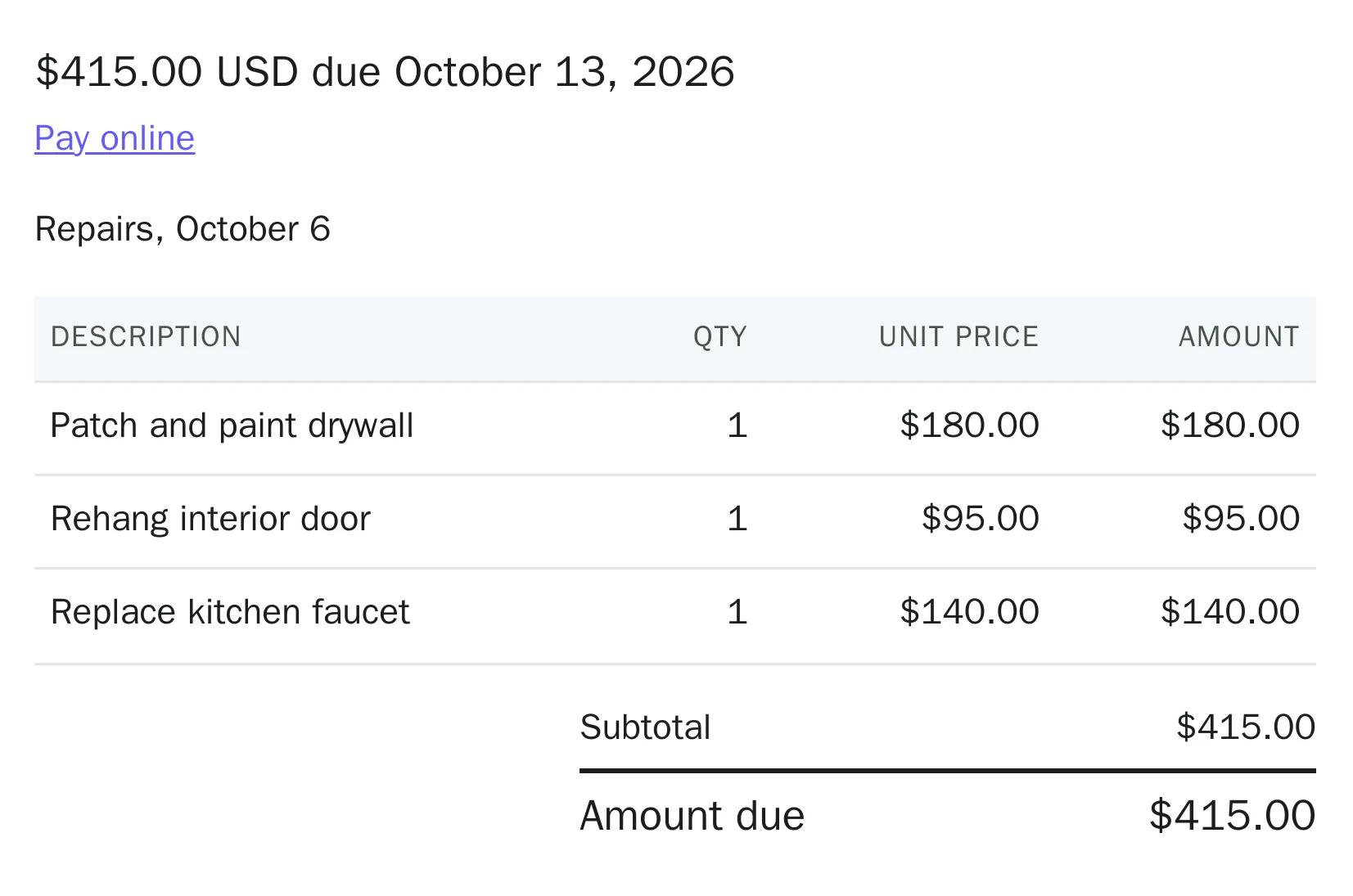
They pay from the email
The email’s Pay button opens this page. Your customer pays by card or bank transfer, with no account to create.
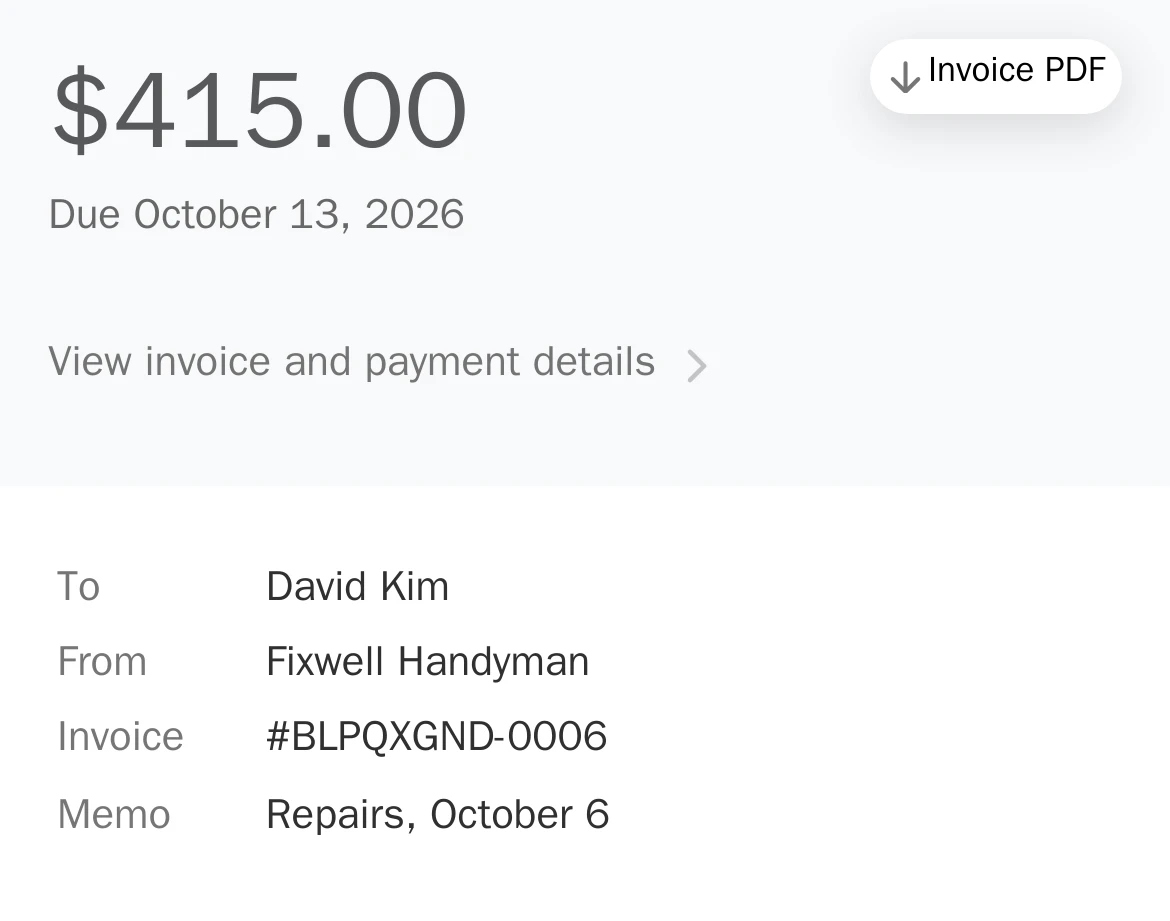
It shows up paid
You get an email the moment it’s paid. Stripe pays out to your bank about two business days later.

For bigger repairs and materials-heavy jobs, send a quote with a deposit, or share service links so customers can request one.
Built for the way handymen work
Every job is quoted on the spot. Redbud Way lets you set your price, send an invoice by email, and move on. Customers pay by card on their phone, with no app or account to set up.
- Shareable service links. Share a link for each type of job. Customers request a quote and you price it.
- Per-job payment quotes. Quote every job at your own rate and send a card-payment link for that exact amount.
- Deposit + balance splits. Collect a deposit to lock in the job and the balance when it's done. Some states cap deposits, so check yours with the deposit calculator.
Common questions
- How do I send a handyman invoice?
- Add your customer’s email and the line items, then send. They get an email with a Pay button that opens the invoice, and they pay in full by card or bank transfer with no account. You get an email when it’s paid. Sending is free; Stripe charges its standard card fee plus 0.4% Stripe Invoicing on what you collect.
- How much does Redbud Way cost for handyman businesses?
- Redbud Way is free and charges 0%, so it never takes a cut of your handyman jobs. Stripe bills you directly for its standard fees on what you collect: 2.9% + 30¢ per card payment, plus 0.4% Stripe Invoicing on invoices and quotes. See our pricing page for the full breakdown.
- Can I quote different handyman tasks at different prices?
- Yes. Every job is priced on its own, from a furniture assembly or a TV mount to a drywall patch or a full punch list, and you send a card-payment link for that exact amount. No fixed menu required.
- Can I collect a deposit before a handyman job?
- Yes. You can take a deposit up front on bigger jobs and materials, then collect the balance when the work is done: your customer pays the rest by card or bank transfer from the same link. Some states cap deposits (California: 10% or $1,000, whichever is less), so check yours with the deposit calculator.
- How fast do handymen get paid?
- Stripe pays card payments out to your linked bank automatically, about two business days after each payment, and standard payouts are free. Your first payout can take a week or two while Stripe verifies your account. No chasing checks between jobs.
- Do my customers need an account to pay?
- No. Customers pay by card or bank transfer as a guest from any phone or browser. You just send an invoice or a pay link by email for the quoted amount.
Built for every local trade
- Lawn & landscaping
- Plumbing
- HVAC & air conditioning
- Electrical
- Pool service
- House cleaning & maid service
Switching tools? See the Joist alternative for handymen, price your next job with the free markup calculator, or see pricing.
Want more Google reviews? Redbud Way can email each customer a Google review request after they pay, free.
Need a one-off invoice? Fill in and print the free handyman invoice template.
Send your first handyman invoice today
Create a free account, then send your first invoice in a couple of minutes.
It's free. Stripe’s standard fees apply to what you collect.