
For cleaners, lawn care & other repeat-visit pros
Card on file: charge your clients after each visit, no invoice to chase
Keeping a client's card on file means they save it once and you charge it when the job is done. No invoice for them to open, no Venmo reminders, no checks. Below is how to do it properly, with the client's permission and without ever handling the card number. Or let Redbud Way do it for you, free.
What card on file means
A card on file is a customer's credit or debit card that your business keeps, with their permission, so you can charge it later without asking for it again. For work that repeats, like a cleaning every two weeks or a weekly mow, it turns getting paid into one step at the end of the visit. The amount can change each time: an extra room, a deep clean, a skipped week.
How to keep a card on file the right way
- Get the client's authorization. They should agree, in writing or online, that your business may charge their card for your services. Name your business so the charge isn't a surprise.
- Never write the card number down. Not on a form, in a notebook, or in your phone. A card number you hold is one you have to protect. Let a payment processor store it, so you never see the full number.
- Send a receipt for every charge. Say what it was for and when. A client who gets a clear receipt doesn't call their bank about a charge they don't recognize.
- Tell them how to remove it. A client who knows they can take the card off any time is far more willing to save it in the first place.
- Have a plan for declines. Cards expire and get replaced. When a charge fails, ask for a new card or send an invoice, and don't retry the same card again and again.
How card on file works in Redbud Way
Brightside Home Cleaning saves Maria Lopez’s card, then charges $145 after her biweekly clean.
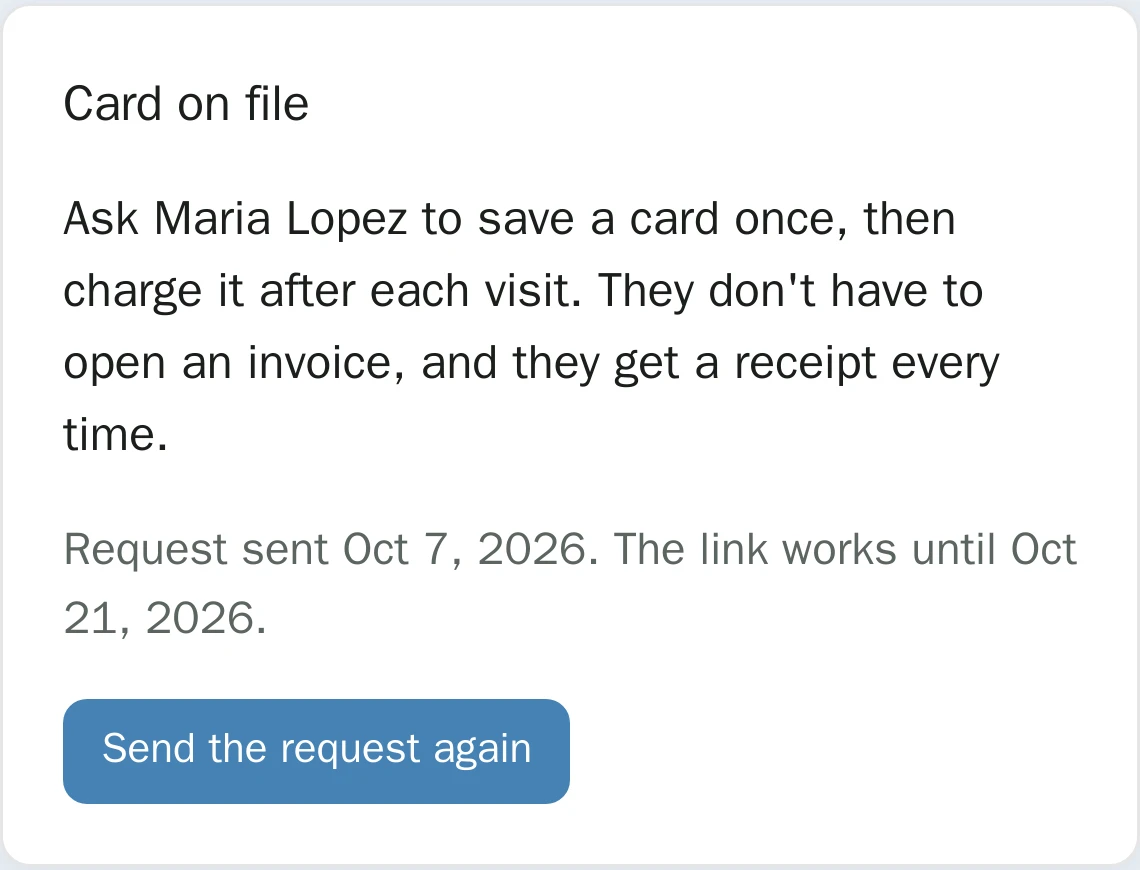
Send a card request
From the client’s page, email them a link. It comes from your business and works for 14 days.
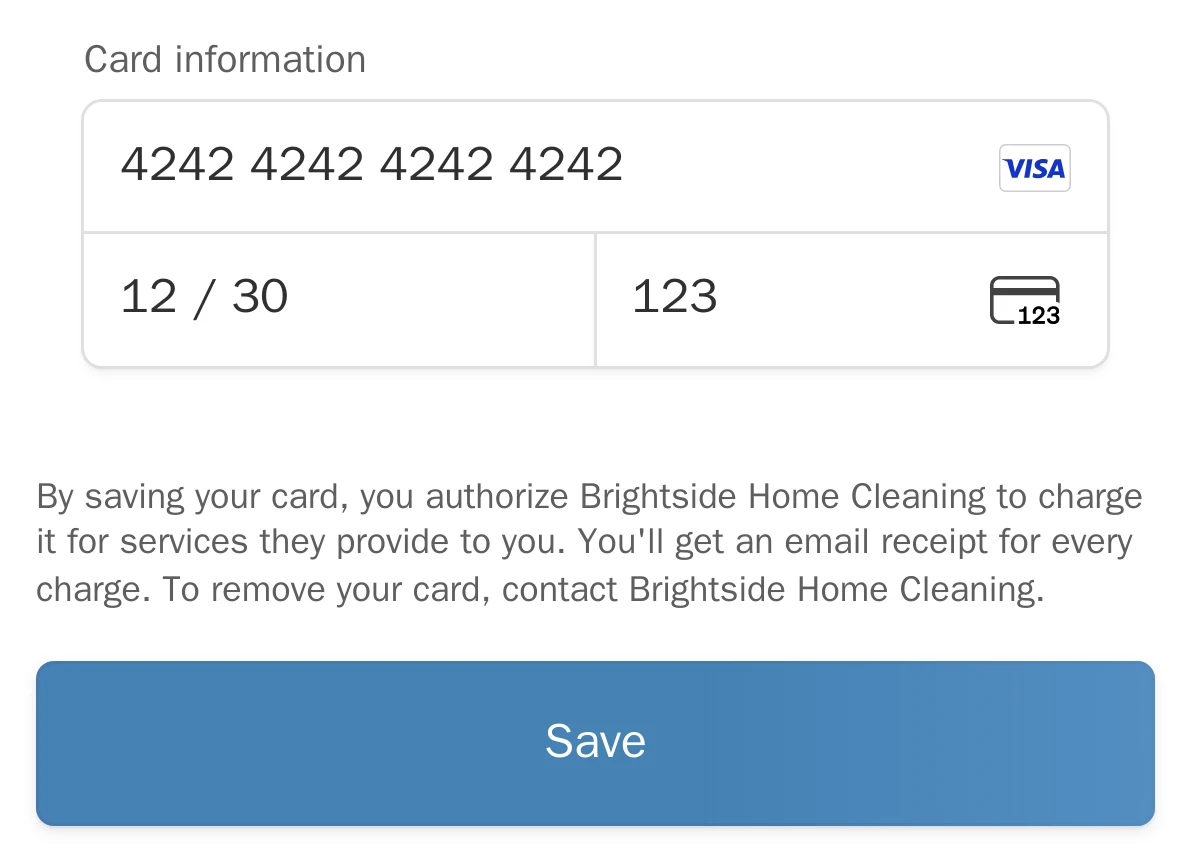
They save it on Stripe
Stripe’s secure page, under a line that authorizes your business to charge it. You never see the number.
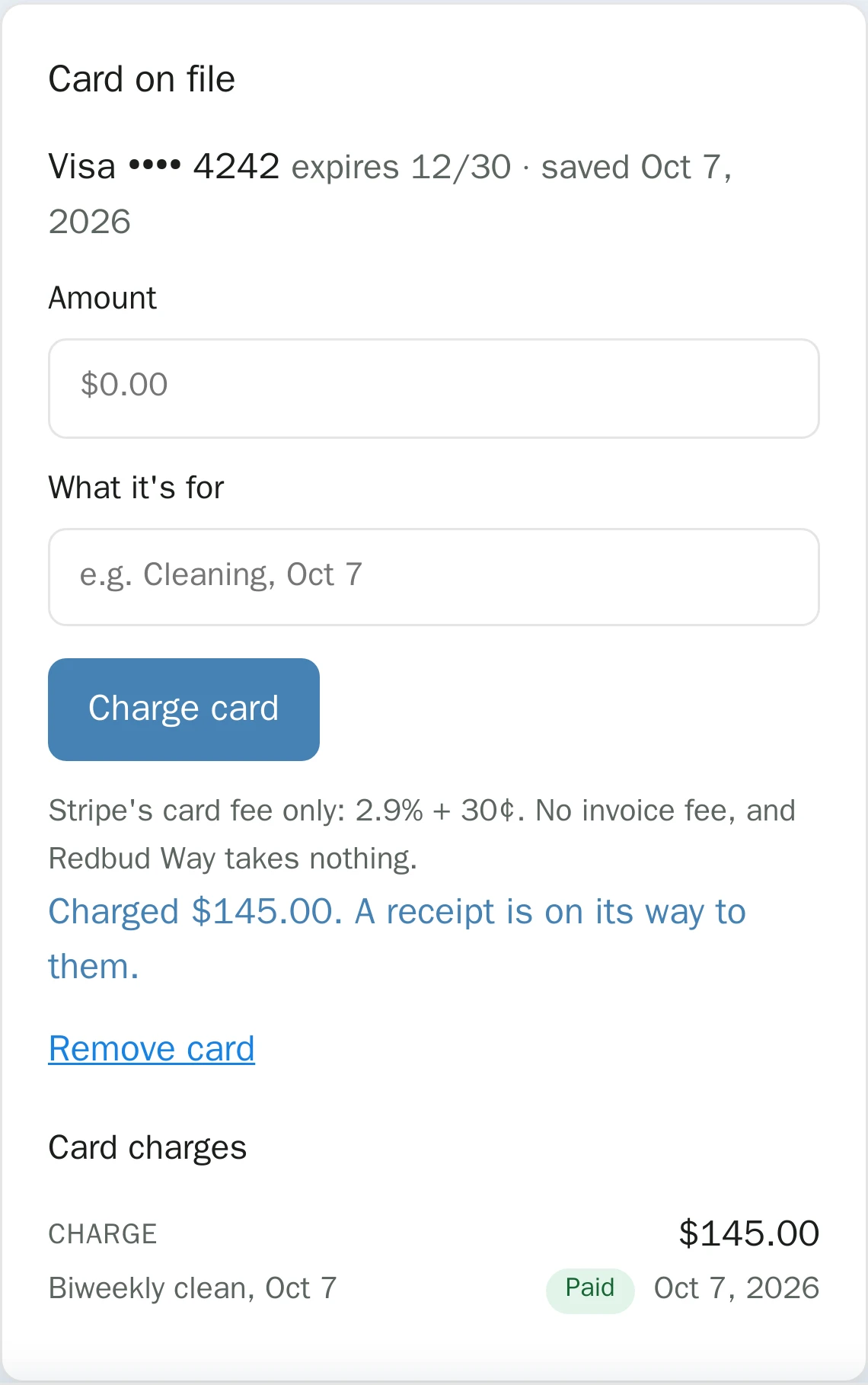
Charge after each visit
Type the amount and what it was for, confirm, and it’s charged. They get an email receipt right away.
- Card fee only. 2.9% + 30¢ per charge, billed by Stripe to your own account. No invoicing fee, and Redbud Way takes 0%. See all fees.
- Any amount, any time. Charge the usual price or a different one when the job changes.
- Declines handled. If a card fails, you see why and can send an invoice in one click.
- Every charge in one place. Each client's page lists their card charges next to their invoices, quotes and bookings.
Frequently asked questions
- What does card on file mean?
- A card on file is a customer’s credit or debit card that a business keeps, with the customer’s permission, so it can charge it later without asking for the card again. Service businesses use it to charge after each visit, so the customer doesn’t have to pay an invoice every time.
- Is it legal to keep a customer’s credit card on file?
- Yes, with the customer’s authorization. Card network rules expect the customer to agree to future charges, to know who will charge them and for what, and to get a receipt. What you should not do is write the card number down or store it yourself: keep it with a payment processor that stores it securely, so the number never touches your phone, notebook, or computer.
- Do I need a credit card authorization form?
- You need the customer’s authorization, and a paper or PDF form is one way to get it. The catch is that a form puts the full card number on paper, which you then have to protect. An online save, where the customer types their card into the processor’s secure page and agrees to the charge terms there, gets you the same authorization without you ever holding the number.
- How does card on file work in Redbud Way?
- From a customer’s page, you email them a link. They open it, enter their card on Stripe’s secure page, and agree to let your business charge it for your services. After that you can charge any amount from their customer page, and they get an email receipt each time. The link works for 14 days.
- What does it cost to charge a card on file?
- Stripe’s standard card fee, 2.9% + 30¢ per charge, billed by Stripe to your own Stripe account. There’s no invoicing fee because no invoice is sent, and Redbud Way charges 0%.
- Can I see or copy the customer’s card number?
- No. The card is stored by Stripe. You see the brand, the last four digits and the expiration date, which is all you need to know which card you’re charging.
- What happens if a charge is declined?
- Nothing is charged, and Redbud Way tells you why. You can ask the customer to save a new card, or send them an invoice instead. Occasionally a bank asks the customer to approve a charge themselves; an invoice handles that too.
- Can the customer remove their card?
- Yes. They ask you, and you remove it from their customer page in one click. Once removed it can’t be charged again until they save a card again.
Stop sending an invoice after every visit
Save each client's card once and charge it when the job's done. Free, with a 0% platform fee. Stripe's standard fees apply to payments, billed by Stripe.